


 Il Granello.
The easiest granular plugin there is
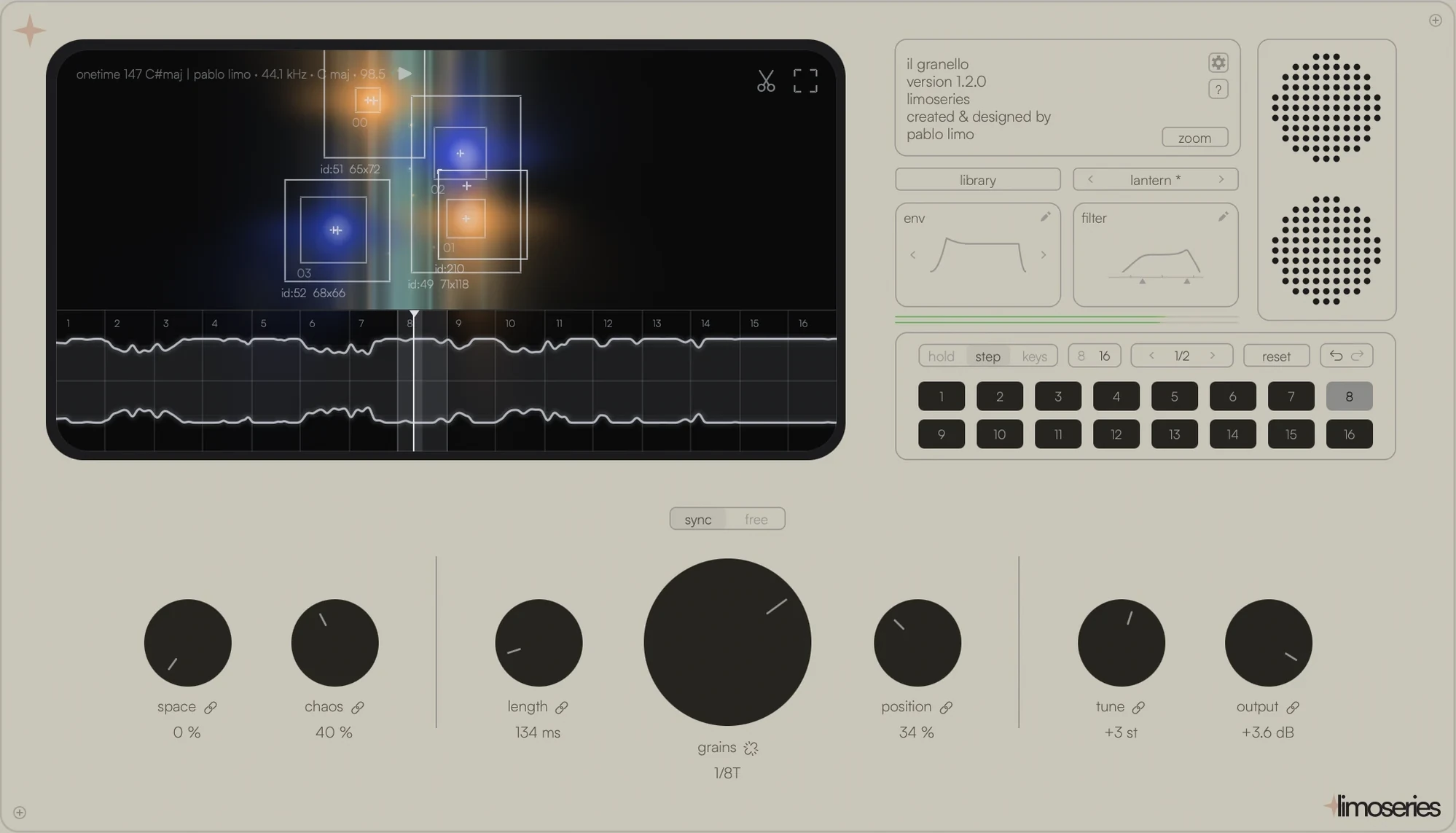
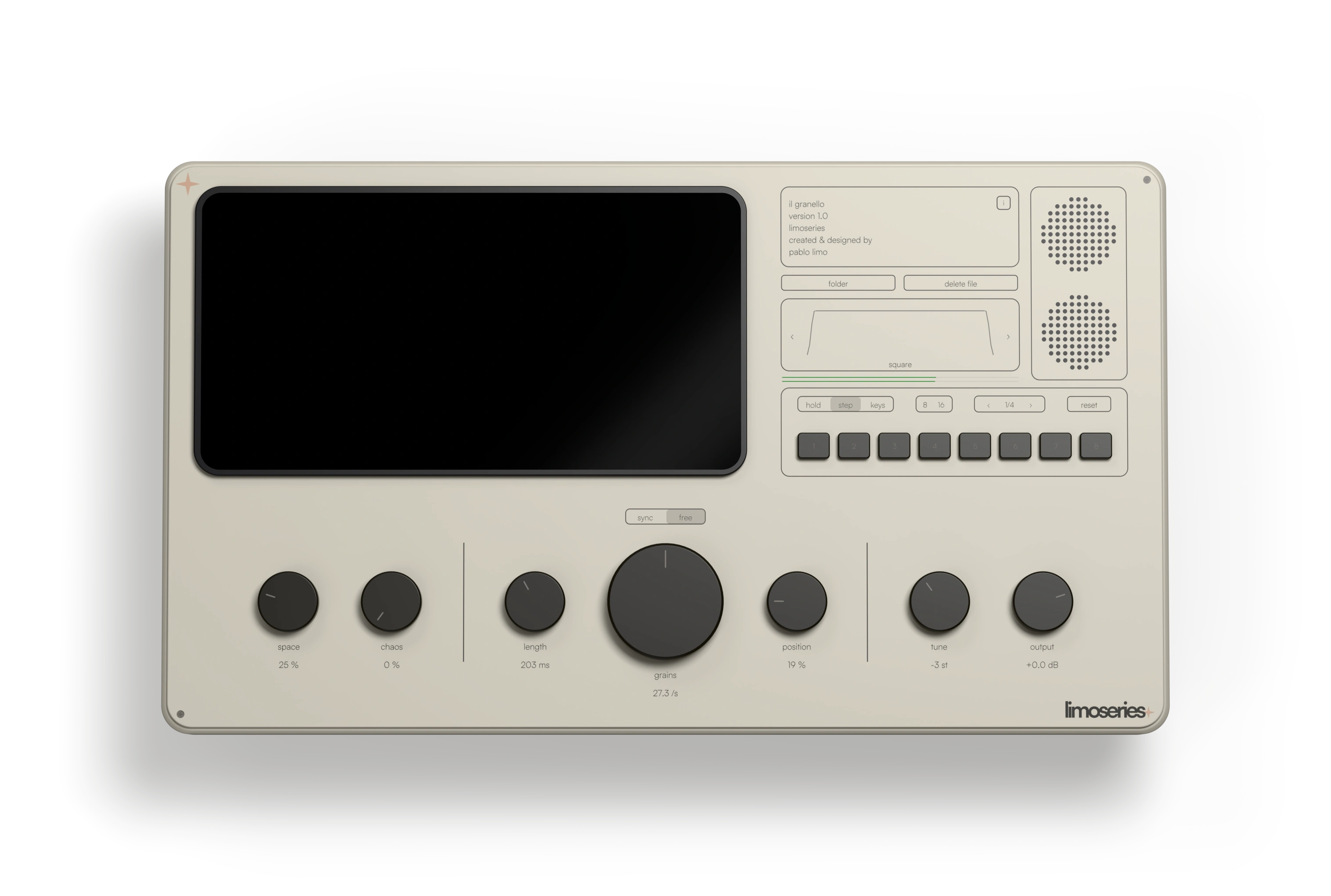
Drop a sample on the screen and Il Granello cuts it into grains, then plays them in time with your song. Seven knobs, sixteen steps, nothing hidden behind a menu.


Loved by platinum &
Billboard‑charting producers
Hear the sounds you can make from anything.
Three loops from the library, filmed on the plugin’s screen. Play one, then switch it between dry and Il Granello.
Open it and play.
Pick a preset and it is playing before you touch a knob. The sample pack is inside the library, ready to load.
- 40+ presets in texture, rhythmic, ambient, broken, pad, lead and melodic.
- A sample pack of loops, textures and drums, made to be cut into grains.
- Your own presets: save a sound and it waits for you under user.
Every chop, its own sound.
Position, grain, space, chaos and every other control can be set on each chop. The link beside a knob decides whether it moves every chop together or only the one you selected.
- Copy and paste a step. All of its parameters, or just space, chaos, position or grain. Or send it to every step with Copy to All.
- Right-click a cell for Copy, Paste and Disable Step.
- Play a chop from your keyboard and move its position at once.
Shape every grain.
Load a loop from the library, open the envelope and draw it by hand, then close the sound down with the new filter.
- Draw the envelope with attack, decay, sustain and release, or by hand.
- Filter with resonance, a dedicated knob for both the high and the low side.
- Drag and drop audio straight from your DAW into the plugin.
Buy Il Granello
One licence · yours forever · free updates included.
Add to your order
Total€39.90
Buying for a friend who makes music? Send it as a gift.
Instant download, VAT included. Secure checkout by Lemon Squeezy (Stripe)
Instant download. Secure checkout by Lemon Squeezy (Stripe)
Marketing emails from Limo Series. Unsubscribe any time. Privacy policy
Formats, requirements & supported DAWs
VST3 · Audio Unit (AU) · AAX
AAX for Pro Tools is macOS only, for now.
12+ · Apple Silicon & Intel
10 / 11 · 64-bit (x64)
Logic Pro & GarageBand (Audio Unit) · Pro Tools (AAX, macOS) · Ableton Live 10.1+ · FL Studio 20.7+ · Cubase 9.5+ · Studio One 5+ · Bitwig 3+ · Reaper 6/7, and any 64-bit VST3, AU or AAX host.
Installer for your system + the manual (PDF).
Free updates included.
Trusted by producers in 100+ countries.

“This is different from all the granulators I used before. Its possibilities are endless and I use it daily since I got this plugin. It gives you a different perspective on samples that you already used and opens new creative possibilities. Love it.”



“Best slicing sample and granular VST found in my career.”



“Il Granello is an incredibly inspiring plugin from the moment you load it up- I love the simplicity of the design matched with the power of what it’s capable of sonically. This thing is genuinely fun & intuitive and gives me ideas I maybe wouldn’t have stumbled upon otherwise.”



“Il Granello unlocked new creative possibilities for me: using samples to build something completely new. Every time, it sparks ideas you would never have had without this beautiful plugin.”



Don’t miss what’s next
New instruments, tutorials and drops, in your inbox before anywhere else.
Unsubscribe any time. Privacy policy